IBM Server Site

IBS Home Up RP 6 - Age by Invoice or Due Date RP 6 - Document Codes RP 6 - Document Imaging

RP 6 - Create Statements

Additional Resources

Reasons why a customer account information doesn't print on a statement

  • Account balance is '0'
  • Account class code is not set to '0' (Charge customer)

Quick Statement Run

  • RP 6 (Create Statements)
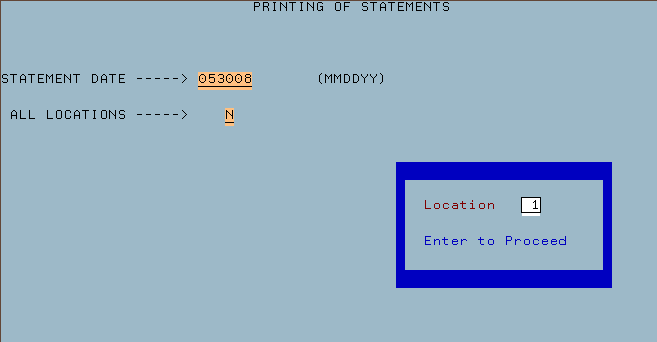
  • Enter statement date
  • Enter 'N' for all locations
  • Key in your location
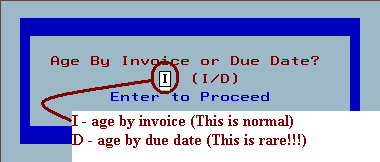
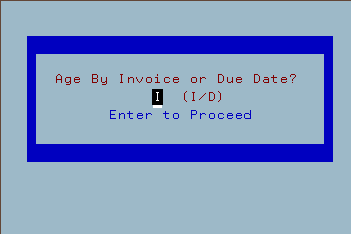
  • Enter 'I' for age by invoice
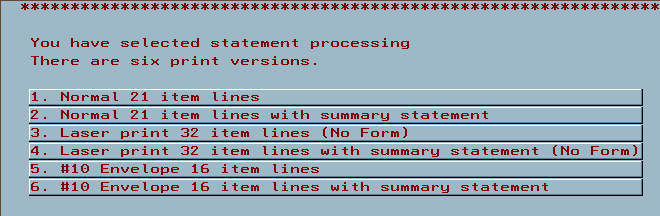
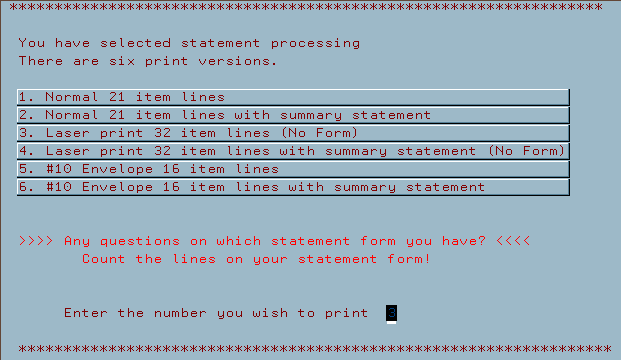
  • Enter in your type of statement 1-6
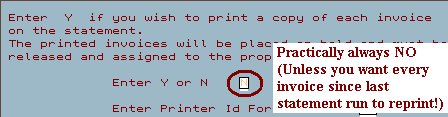
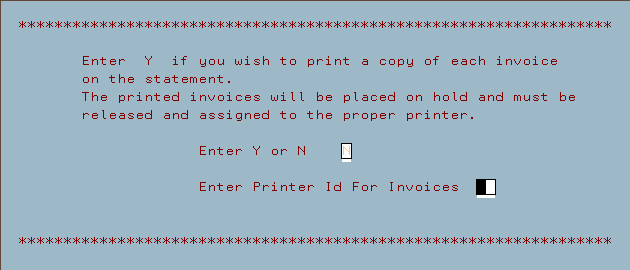
  • Enter a 'N' to reprint for a copy of each invoice
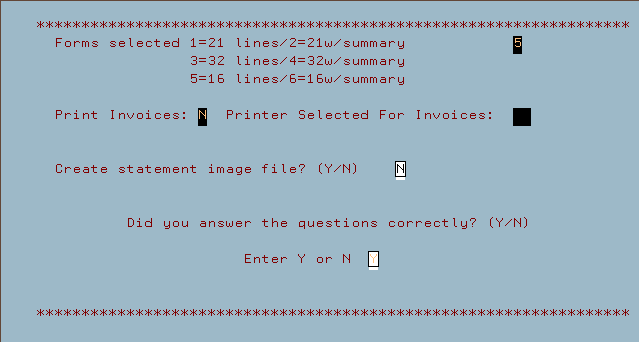
  • Enter a 'Y' to all questions answered correctly

Errors and Problems that can occur here

  1. No statement date entered or date 00/00/00 entered.
    This will cause all invoices on all accounts to be considered current.
  2. Age by due date entered rather than invoice
    DO NOT change from invoice to due date unless your 100% positive that this is the correct aging system for your location.

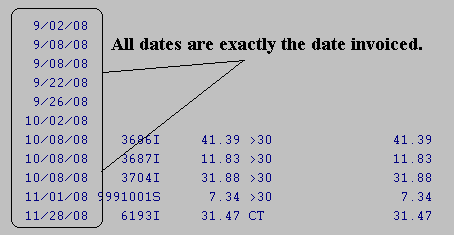
    • Example of Age by Invoice 'I'

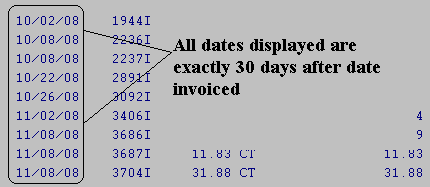
    • Example of Age by Due Date 'D'

  3. Wrong form type selected
    If you select the wrong form type your statements will not be properly formatted. Check before you select and print.
  4. Print a copy of every invoice option will do exactly that. If you aren't sure answer with a 'N' (No).

Statement Screens

Screen 1 - Date & Locations

Screen 2 - Invoice or Due date

Screen 3 - Type of statements to select

Screen 4 - Copy of each statement

Screen 5 - Summary Screen

IBS Lumber and Building Material Software Copyright © 2006 IBS Lumber Software Inc (TM)
Last modified: November 7, 2011

IBS Sales & Support 888-640-1252
Main Office 888-640-1252
Fax IBS 877-712-8937

All pages contained in this support website are not intended for general public distribution. Any material here can be considered private, confidential with various copyrights and restrictions against public release. You 'the browser' cannot legally release this information for general public distribution.

remote support: http://www.gotomeeting.com | remote support download program