RP 5 - Post service charges
Additional Resources
This option will post all pending service charges to the customer accounts.
DO
NOT SELECT RP 5 MORE THAN ONCE
PER STATEMENT CYCLE
Pitfalls that cause problems with
statements | no
date on service charges | duplicate service
charges | Service charges
were posted multiple times
Cause
- The person creating service charges field exited through the service
charge date in RP 2 (Create service charges).
Resolution
- Change the service charge date in ZU 19,1

Service charges were posted 2 or more times
to the accounts
Cause
- The option RP 5 (Post Service Charges) was taken more than once.
Resolution
- Delete the duplicate service charges from the account ZU 19,1
How service charges post
Invoice Document Accounting Codes
- 9991xx
= Service Charges posted to account
- 9993xx
= Apply to unapplied (F5 under RU 1 Payments & Adjustments)
posted to account
Inv Date
2/03/07
10/11/07
10/17/07
10/17/07
10/24/07
10/31/07 |
Invoice
999302
999303
032059
032060
032576
999101 |
Amount
150.00
123.10-
90.02
51.55
113.37
.40 |

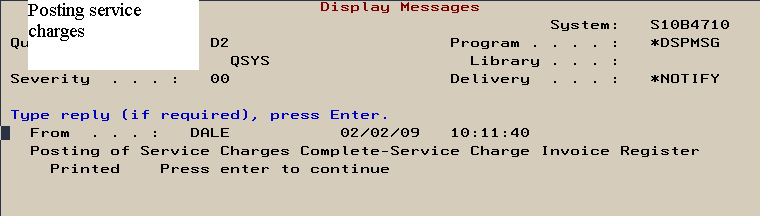
Successful posting of service charges message
- The following message will display if service charges were successfully
posted.
- Display Program Messages
Job 303624/REX/QPADEV0002 started on 02/02/09 at 10:00:31 in subsystem QINTE
The SRVR02B 3400 data area is not allocated for output (C G S D F).
- This message only appears if the service charges
were never created.
- Return to RP 3 then reprint service charges and
see if were created.
- If nothing prints then check a past due account
and see if there are current service charges.
- If no current service charges appear and no
service charges print then recreate them in RP 2.
| 



