|

 
| |
GR 4 - Financial Statements
*IMPORTANT
IBS DOES NOT SETUP your financial format member.
Contact your CPA or accounting staff for setup guidelines for the format member.
IBS can provide instructions and technical support for setting
up how you want your financial statement to appear.
What statements are available
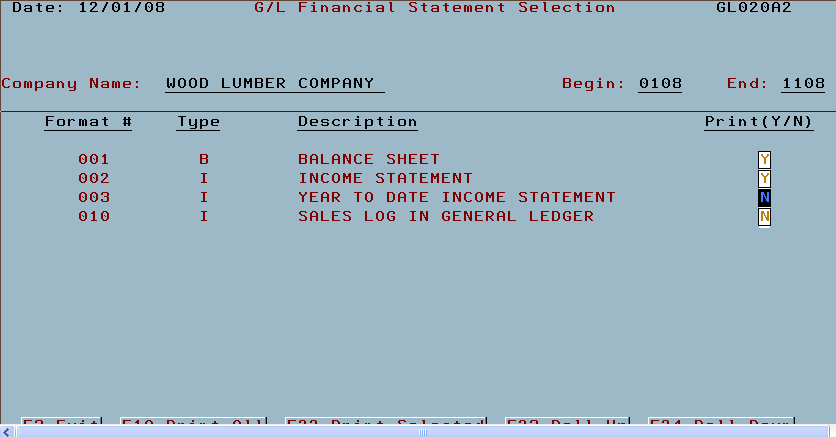
Typical Financial Statements
- Balance Sheet
- Income Statement
Other common financial statements may include
- Sales log
- Year to date income statement
- Other
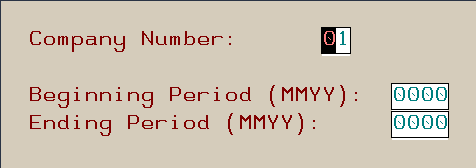
Running financials
*IMPORTANT
- Close all periods prior to running financials!

- next select the appropriate financial statements then press F22 (Shift
F10) or F10 for all statements.

Error Messages
Not completed
- If you continually receive this message you should contact IBS to
correct the problem.

What causes this message?
- Any abnormal exit, after requesting financials, from the financials
screen can cause this message.
Examples of abnormal exits are
power loss, clicking the program end (X) to exit without
signing off, disconnecting the data cable, etc...
How to fix the error
Reasons why this happens
- wrong or bad information was entered when the financial statement was
run
- wrong or bad information is in the format file member
- an error occurred while the program was running and it exited abnormally
Program information
Resolution
type the following on a command line
- call CLGLP20D > the error will be cleared out and you can
fix the format member problem or go in to run the financial
statements again
|