|

  
| |
Praim 5488 Terminal Workstations
Installation
- The main power cable MUST be connected to a
properly wired AND grounded electrical outlet. An incorrectly wired outlet or
plug can place hazardous voltage on accessible parts of this product and void
your warranty.
- Any equipment attached to these terminals
MUST also be connected to a properly wired AND grounded electrical outlet.
- Installation, maintenance or
reconfiguration should not be performed during an electrical storm.
Terminal Parts and Peripherals
- Model 5488 Only
- 1 Terminal display unit or PC type
monitor
- 1 5488 Logic unit
- 1 Mouse (Optional)
- Models 5486 and 5487 Only
- 1 combined display and logic unit
terminal
- 1 122-key keyboard (or 101/104 key
keyboard)
- 1 Main power cable
- 1 Twinax Communication Cord (t connector
cable)
- 1 User Guide
Location of Terminal
- Do not place the terminal and/or SVGA
monitor closer than 18" from another terminal or printer. This could
cause image distortion.
- Do not install the terminal close to
transmitting antennas, three-phase (phase 3) power distribution lines,
transformers or equivalent.
- Place the terminal with a minimum of 6"
free space around it, so that air can circulate and keep it cool.
- Do not put papers or objects on top of the
terminal
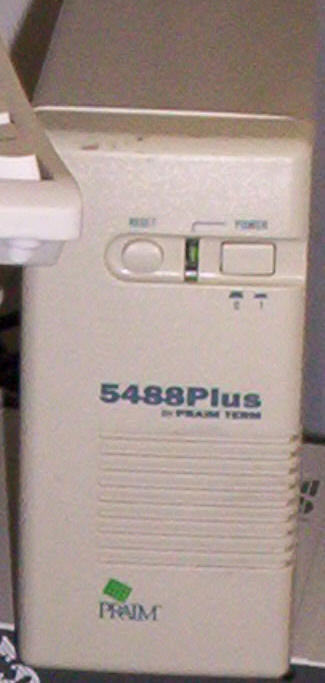
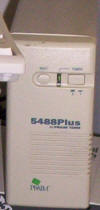
Frontview of Praim 5488 Terminal
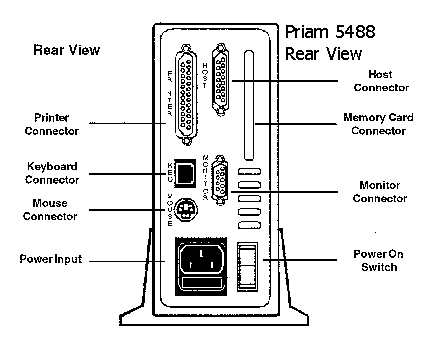
Rearview of Praim 5488 Terminal
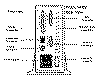
- The image below displays a rear view of a
Praim 5488 logic unit (i.e. a terminal without any monitor device)
- Device Connections clockwise from the top
left are:
- Printer Connector (25-pin parallel to
centronics cable)
- Host connector (attach twinax t-cable
here)
- Memory card connector port. This is
not currently used or supported by IBS personnel.
- Monitor connector (attach your SVGA
monitor here)
- Power switch (use this to turn your
terminal off/on)
- Power input (attach grounded power cable
here)
- Mouse connector (attach a computer mouse
here). This is an optional device.
- Keyboard connector (attach 101/104 or
122-key keyboard here)
5488 Rear View Diagram
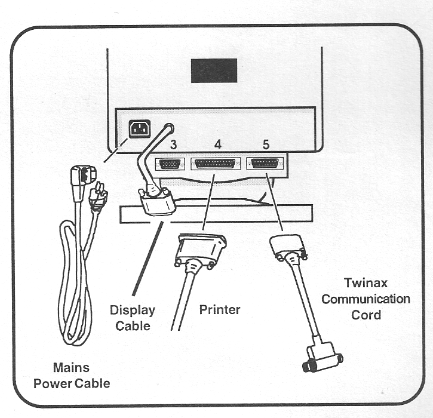
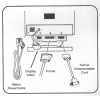
5486, 5487 Rear View Diagram
|