|

 
| |
2380 PPSII Control Panel
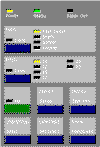
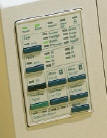
238x Control Panel
Description
- IBM Proprinter, Epson
- Speed: 320cps Fast Draft, 270cps Draft, 67cps NLQ
- Graphics: 60, 120, 180, 240, 360, 480dpi
- No. of Pins: 9
[back to top]
- With the top cover on,
- Press Alt + Park/Load
to retract the forms.
- The Paper Out light should blink.
- Press Alt + Park/Load again so the forms advance.
- The ready light should blink.
- Press Alt + Tear-off.
- press and hold the
Micro Up/Down button so the label advances
to the Tear-off position.
- Press Start/Stop to save.
[back to top]
- On the front of the printer, press
Alt + Park/Load to retract the
forms.
- The Paper Out light should blink.
- Press Alt + Park/Load
again to advance the forms.
- The ready light should blink.
- The top edge of the form should be even with the top edge of the metal
strike plate.
- Press the Micro Up/Down button to move the form into position.
- Press Start/Stop to save.
[back to top]
- Turn the power to the printer off
- Hold down the Micro Up and Micro Down arrow keys
- While holding the micro up/down keys turn the power on
- The printer will then lock or unlock
[back to top] |


