IBM Server Site

IBS Home Up

Unable to Allocate a Record in IVMST

Important

  • DO NOT ANSWER THE MESSAGE WITH A 'C' (CANCEL)!
  • DO call IBS if you are uncertain how to proceed.

Answering the Message

  • WRKACTJOB
  • Look for the line with MSGW under status
  • Type a '7' (Messages) beside the line with the message waiting
  • The message will display the following information "...unable to allocate a record in IVMST..."
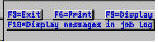
  • Press F10 More Details
  • Press F18 Bottom
  • One or more lines will display who is using the file and where they are.
    Record in use by ..[initials or name of person]/[Workstation number]

  • Signoff the indicated workstation
  • Answer the message with an 'R' (Retry). The report will then run.
IBS Lumber and Building Material Software Copyright © 2006 IBS Lumber Software Inc (TM)
Last modified: November 7, 2011

IBS Sales & Support 888-640-1252
Main Office 888-640-1252
Fax IBS 877-712-8937

All pages contained in this support website are not intended for general public distribution. Any material here can be considered private, confidential with various copyrights and restrictions against public release. You 'the browser' cannot legally release this information for general public distribution.

remote support: http://www.gotomeeting.com | remote support download program