|
|
|
|
ODBC Help & SupportWhat is ODBC?
IBS ODBC Policy
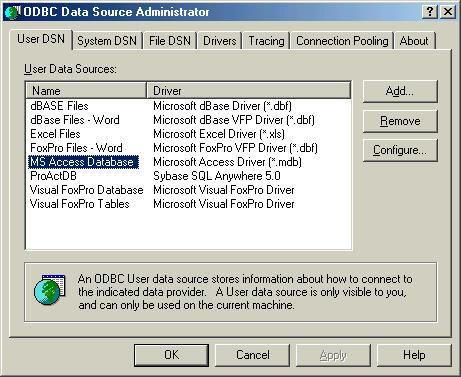
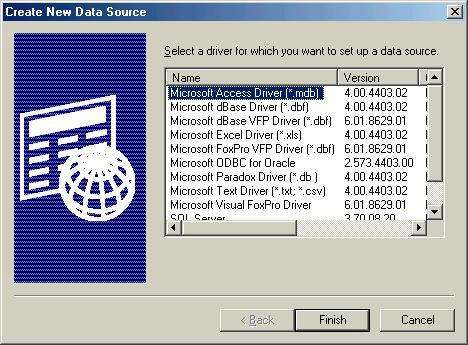
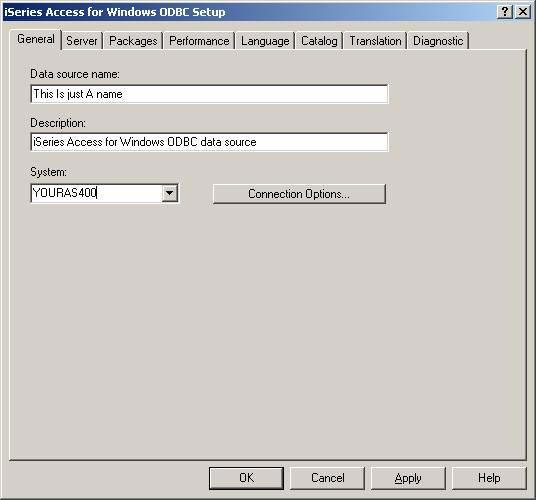
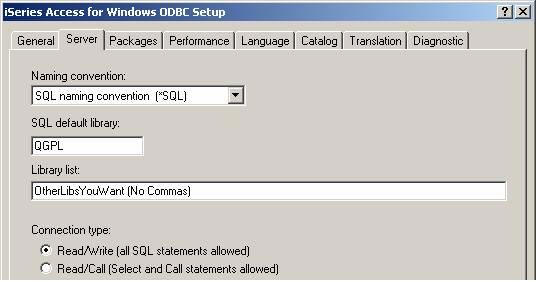
After you set up client access and make sure that you install the ODBC driver, click on START, SETTINGS, CONTROL PANEL. If you don’t see ”Data Sources (ODBC)” on the first screen, but see “ADMINISTRATIVE TOOL”, click on ADMINISTRATIVE TOOLS, then DATA SOURCES(ODBC). Click Add Click Finish Click Apply Then click OK..Now you should be able to connect to the database. On the above screen, if you want READ ONLY rights, make sure you click the read only option. |
|