IBM Server Site

IBS Home Up Won't Print

Daily Invoice Register (MP 1,5)

Questions and Answers about the invoice register

Q. What does 'ADP' mean. It appears on the last column of my invoice register?

  • A. ADP = Advanced Pay.

Purpose of the Daily Invoice Register

  • The daily invoice register closes out a specific days sales activity.
  • Prior to closing the day (i.e. running the register) you may still correct wrong cost invoices.
  • This option does each of the following
    • generates a sales summary report for the day
    • prints a rejected tickets report
    • details the ticket sales totals of the day
    • closes the day for your general ledger
    • closes the day for cost corrections
    • verifies that each ticket was posted to the proper receivables account Any ticket(s) found that were invoiced for the day but not posted to the customer account will be immediately posted onto the account

Submitting the Invoice Register

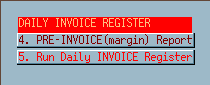
  • Go to menu MP (Management processing)
  • Select option 1 (Daily processing)
  • Select option 5 (Invoice register)
  • Type in the date of the invoice register you want to print then press ENTER
  • The following screen will prompt. Press ENTER to continue.
    • If you receive the message 'No invoices selected' then either 1.) the invoice register has been run for that day or 2.) there was no sales activity for the day.
IBS Lumber and Building Material Software Copyright © 2006 IBS Lumber Software Inc (TM)
Last modified: November 7, 2011

IBS Sales & Support 888-640-1252
Main Office 888-640-1252
Fax IBS 877-712-8937

All pages contained in this support website are not intended for general public distribution. Any material here can be considered private, confidential with various copyrights and restrictions against public release. You 'the browser' cannot legally release this information for general public distribution.

remote support: http://www.gotomeeting.com | remote support download program