[IBS Home] [Up] [Infowindow End-life] [IBM 3151] [IBM 3197] [IBM 3477] [IBM 3477FC] [IBM 3487] [Vendor File Errors]
|
|
|
IBM 3197, 3196, 3192 Twinax TerminalDescription
IBM 3151 Terminal Reset ProcedureThe following steps must be taken to reset the IBM 3151 terminal without
powering off/on the terminal. Resetting the terminal will restore the
values that were last saved into NV RAM and issue a power-on reset.
1. Press and hold the CONTROL Key (left of SPACE BAR), then
press SETUP key (Upper Right Corner).
2. Press the SEND key (below right shift key) three times to
= select the FUNCTION MENU.
3. Press the DOWN ARROW key once to select "Reset Terminal".
4. Press the SPACE BAR.
5. The terminal will reset and exit the SETUP MENU. The
cursor will return to the upper left corner of the screen
and keyboard response should return to normal.
If further problems are encountered, check the configuration values to
be certain that are correct.
----------------------------------------------------------------------
IBM 3151 Terminal Setup Procedure
The following values must be entered into the IBM 3151 terminal for
operation with the System/88 (Stratus).
1. Press and hold the CONTROL Key (left of SPACE BAR), then
press SETUP key (Upper Right Corner).
2. Use ARROW keys to select desired field (inverse video).
3. Use SPACE BAR to toggle values until desired value appears.
4. Repeat Steps 2 and 3 until the General Menu appears as follows.
#1 General:
Machine Mode IBM 3151
Screen NORMAL
Row and Column 24 x 80
Scroll JUMP
Auto LF OFF
Crt Saver n/a
Line Wrap OFF
Forcing Insert OFF
Tab Field
5. Press SEND key (below right shift key) to select
Communications menu.
6. Use ARROW keys to select desired field (inverse video).
7. Use SPACE BAR to toggle values until desired value appears.
8. Repeat Steps 6 and 7 until the Communications Menu appears as follows.
#2 Communication:
Operating Mode ECHO
line Speed 9600
Word Length 7
Parity ODD
Stop Bit 1
Turnaround Char. ETX
Line Control PRTS
Break Signal (ms) 170
Send Null Supress ON
9. Press SEND key to select Keyboard/Printer menu.
10. Use ARROW keys to select desired field (inverse video).
11. Use SPACE BAR to toggle values until desired value appears.
12. Repeat Steps 10 and 11 until the Keyboard/Printer Menu
appears as follows.
Keyboard: Printer:
ENTER SEND Line Speed 9600
RETURN FIELD Word Length 7
NEW LINE CR Parity ODD
SEND LINE Stop Bits 1
INSERT CHARACTER MODE Characters NATIONAL
Note: The desired Terminal ID value must be keyed-in;
this is not a CYCLE field.
13. Press SEND key to select the FUNCTION MENU.
14. Use Arrow keys to select SAVE field and press SPACE BAR.
Terminal will display a blinking COMPLETE.
15. Press and hold CONTROL key, then press SETUP key to exit.
----------------------------------------------------------------------
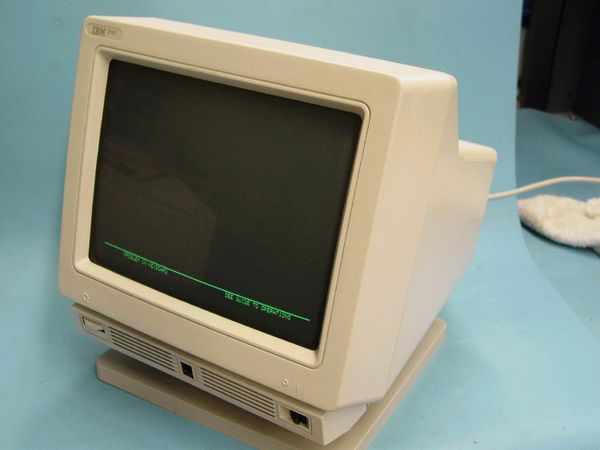
Photos3151 Full View
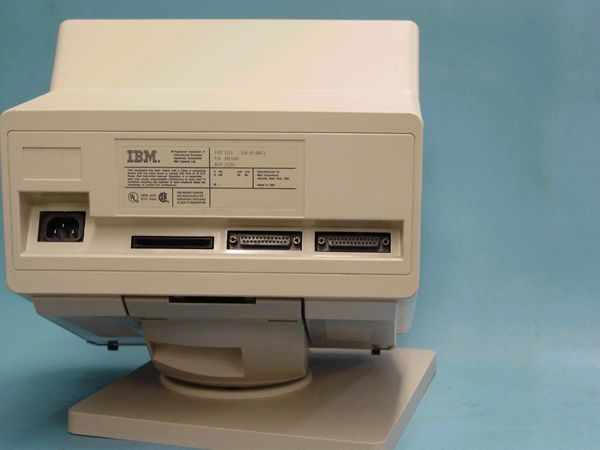
3151 Rear View
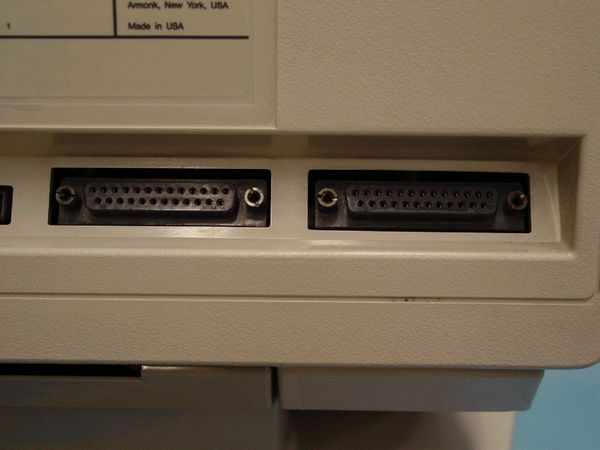
3151 Parallel & Serial Ports
|
|