|
1. You will be physically swapping out a failed RAID controller unit with a
replacement one,
2. calling IBS to verify the new unit as function
SUPPORT WEBSITE
http://support.ibscorporation.com
Card Photo:
http://support.ibscorporation.com/9046-2748.htm
Server Photos:
http://support.ibscorporation.com/photos4.htm
- 7mm Hex Driver (most screws will be 7mm)
- Power tool to loosen screws (use where you can)
- Power off the server and Belkin 1500 UPS Battery.
You can power off the battery by holding down the silver button in the front
middle.
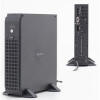
- Unplug the power cable going into the back of the server.
Power connections are located at the rear of the server towards the bottom
UNLESS OTHERWISE STATED ALL DIRECTIONS ARE ASSUMING THAT YOU ARE FACING THE
FRONT OF THE SERVER
- Remove the front panel cover (see photo). Most panels
have a locking mechanism on the left and right sides that will release it.
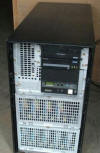
- Remove the top panel. The top panel cover may have 1
screw located on the rear of the server. To remove panel slide forward then
lift up for removal
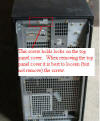 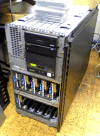
- Remove the left side panel. This panel may have 1-2
screws on the right and left sides of the panel. *You do not need to remove
the right side panel.
- Remove the left side plate. There will be 8-12 screws
requiring removal. You should only have to remove the ones that are marked
‘B’.
[back to top]
- Identify the RAID controller card in the existing server.
It should be located in one of the bottom card slots.
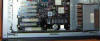
- Identify each cable connection coming off the card
- Remove the old card (2748 or 2740) from the server. You
may have to lift up on a blue tab. Cards are labeled on the back.
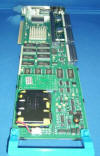
- Insert the replacement card (2748 or 2740). Cards are
labeled on the back.
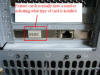
- Replace all cable connections
- Install the metal left side panel. There may be 8-12
screws to install
- DO NOT REPLACE OTHER PANELS AT THIS POINT
- Plug in the power to the back of the server
- Call IBS for further instructions on powering up the
server Office 888-640-1252
- When instructed to do so power on the system.
- You will be monitoring both the front control panel LED
and the amber (systems attention) light.
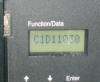 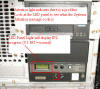
- If power on and RAID controller configuration are
successful you can replace the black case covers and slide the unit back
into place.
- If power on or RAID controller configuration are not
successful we may have you power down the server and check the card and/or
cable placements.
[back to top]
| 



