|

 
| |
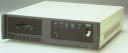
With the 5394 Remote Control Unit, you can connect a wide range of IBM
equipment that is compatible with the IBM Application System/400, System/36, and
System/38. The 5394 offers enhanced connectivity and flexible system
configurations that let you easily link display stations and printers to your
network. Your users benefit from incredible flexibility-yet operation is
transparent to them.
The 5394 offers significant improvements over the 5294, with increased data
speeds and intelligent workstation operation for PCs. The 5394 incorporates V.35
capability, which supports transmission speeds up to 64 Kbps, compared with the
56-Kbps maximum speed of the 5294. What's more, the 5394 can operate in either a
5394 native mode or a 5294-emulation mode.
In addition, your users benefit from enhanced keyboard functions, such as type
ahead and key toggle. The 5394 also supports a special character keyboard set.
The IBM 5394 attaches to the AS/400, System/36, or System/38 through various
interfaces, line types, and line-control protocols. The 5394 communicates in SNA
half-duplex mode through half-duplex or duplex analog communication facilities.
And, it can also attach to an X.21 or X.25 network through X.21 bis data
circuit-terminating equipment (DCE).
The 5394 communicates at speeds up to 19.2 Kbps through an EIA RS232D
interface and at speeds up to 64 Kbps through a CCITT V.35 interface. V.35
support, incorporated into the 5394, means data moves faster, increasing
productivity across your network. You choose the physical interface that best
suits your application needs-point-to-point or multipoint, leased or
circuit-switched line, or X.25 packet-switched network.
For even more advanced networking environments, the 5394 can be coupled with an
IBM 2210 router. This allows access to frame-relay networks and provides access
to local area networks (LANs) for its attached devices.
The 5394 offers you extensive network expansion. Whether your establishment has
twinaxial, telephone twisted-pair wiring, or the IBM Cabling System, the 5394
can provide connection to a myriad of workstations, including Client Access/400.
The 5394, operating in native mode, can connect up to 16 workstations to an
AS/400. And, when running in 5294-emulation mode, it allows you to connect a
maximum of eight workstations to an AS/400, a System/36, or a System/38.
Using a display station and the 3.5-inch diskette provided with the control
unit, you can easily customize the 5394. For example, you can store information
concerning network and communication parameters, display, and keyboard language
configuration. If you later wish to add or move your workstations, the 5394
automatically recognizes your new workstation configuration. Only your central
computer configuration information needs to be updated.
Furthermore, microcode updated to the 5394 is provided on 3.5-inch diskettes.
Microcode corrections are applied to your central computer system and downloaded
to all your 5394 controllers when they begin communicating with the centralized
system.
If you purchased an older model that supports the attachment of four devices,
investment protection is ensured, because upgrades are available to allow
support for as many as 16 devices.
Just attach the unit to your network devices, set configuration data, make the
remote connection to your central computer system, and your 5394 is ready for
use. One 5250 display station should be located within 20 feet of the 5394 to
facilitate installation and problem determination.
You can benefit from improved user productivity in workstation-to-central
computer communication. The 5394 is rich with features, including greater
keyboard support, alt shift Caps lock, text assist, and support for a special
character keyboard set. And, extended graphics on enhanced keyboards are now
standard with the 5394. And there's more. The 5394 also offers these standard
features:
[back to top]
- Three twinaxial ports, capable of supporting up to 16 workstations, let
you tailor control unit configurations to suit the diverse requirements of
remote sites. The 5394 supports a maximum of seven devices per port using
the IBM Cabling System, Cable-Thru with twinaxial cables, or the IBM
6299/TTPA with telephone twisted-pair cables.
- Microcode design provides for easy installation of engineering changes,
functional enhancements, and maintenance.
- A small footprint makes it easy to place the lightweight 5394 anywhere
in your office.
- Standard printer and intelligent printer data stream (IPDS) allow for
attachment of the IBM 5250 printer line, increasing the range of printers
available to remote users.
- Save/Restore compression permits faster processing at the AS/400,
System/36, and System/38 levels, and it improves response time by removing
blanks and duplicate characters from transmitted data.
- Personal-computer-to-5250 file transfer facilitates transfer of remote
personal computing files to and from the IBM AS/400, System/36, and
System/38. And, it gives you maximum productivity in personal computing and
central computer system processing.
- Remote support for selector light-pen workstations enables remote users
to run applications using selector light-pen processing.
- Type ahead makes it possible to continue keying even if the keyboard
becomes locked due to processing within the central computer system. Keys
pressed while the keyboard state is locked are saved in a workstation
controller buffer, which holds up to 32 keystrokes.
- True monocasting, when selected with the Caps lock key, causes all alpha
characters to be capitalized-regardless of the keyboard shift position.
- Support for extended graphics character set lets you easily enter
special graphics characters using an IBM enhanced keyboard.
- Local copy can be sent directly to printers attached to the 5394 Remote
Control Unit. This means screen contents do not need to be transmitted to
the central computer system and then retransmitted to an attached printer.
- Support for the IBM 6299 Terminal Multiconnector allows for terminal
attachment through telephone twisted-pair cables and helps reduce cabling
costs for 5394 users.
- An IBM 5308 can be placed on a twinaxial port and provides dial-in
access for users at other sites to connect to a remote central computer
using the existing communication facility. The IBM 5308 connects ASCII
terminals or PCs to the 5394 through dial-in or leased phonelines.
- The 5394 can be used in multiple network configurations through an IBM
2210 router, including TCP/IP networks, LAN networks, frame-relay networks
and multiprotocol networks. (When connecting the 5394 to a 2210 router, the
8Q0775 microcode diskette is required. This microcode allows the 5394 to
participate in an APPN network as a low-entry node, and allows the 5394 to
interface with a 2210 router or other APPN/SNA network component or
equivalent.)
- Text support from the 5394 provides editing functions-tab stops, shadow
cursors, row and column indicators, and word wrap-to users interacting with
office applications. By delivering text editing and other word processing
capabilities to remote users, the control unit helps increase productivity
and efficiency.
4.5" x 16.75" (114mm x 425mm x425mm); 14lbs. (6.3 kg)
Operating environment
50�F to 105�F (10�C to 40.6�C) temperature;
8% to 80% relative humidity; 80�F (26�C) maximum wet bulb
Programming requirements
- IBM Application System/400: IBM Operating System/400, 5728-SS1 Release
1.0, or higher
- IBM System/36: 5360/5362 System Unit-System Support Program 5727-SS1,
Release 5.1, or higher; 5363/5364 System Unit-System Support Program
5727-SS6, Release 5.1, or higher
- IBM System/38: Control Program Facility 5714/SS1, Release 8.0, or higher
Input voltage requirements
100-127V or 200-240V; 50/60 Hz: 1-phase
Heat generation
256 Btu per hour
Power consumption
75 watts
Workstation device support
- Models 01A and 02A support up to 4 workstation devices
- Models 01B and 02B support up to 16 workstation devices for AS/400
- Models 01B and 02B support up to 8 workstation devices for System/36 or
System/38
Communication interface support
- Models 01A and 01B support ANSI EIA 232D (CCITT V.24, CCITT V.28) and
CCITT V.35 for connection to an external modem or DCE, or for attachment to
an X.21 or X.25 network through an X.21 bis DCE.
- Models 02A and 02B support CCITT X.21 for connection to an X.21 Public
Data Network or an X.25 Packet Switching Network through an X.21 DCE.
[back to top]
|

